
TECHNICAL DESIGN
PRE-PRODUCTION
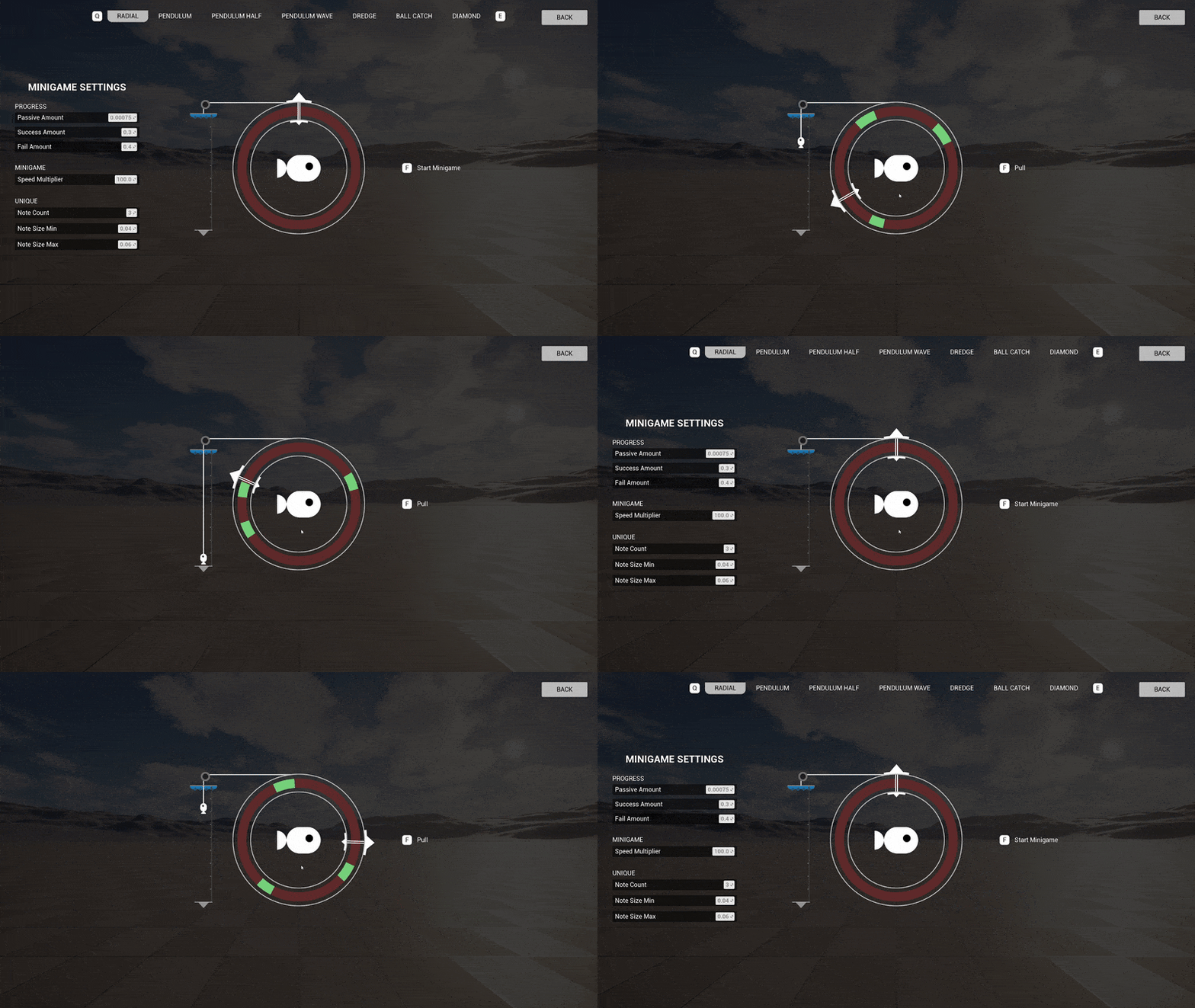
2 weeks of pre-production to explore 3 game concepts and develop a playable prototype for each one. First half of the week went to concepting and roughly planning out the different concepts. The rest was split up into 2 days of development time per prototype.
HEALTH SYSTEM
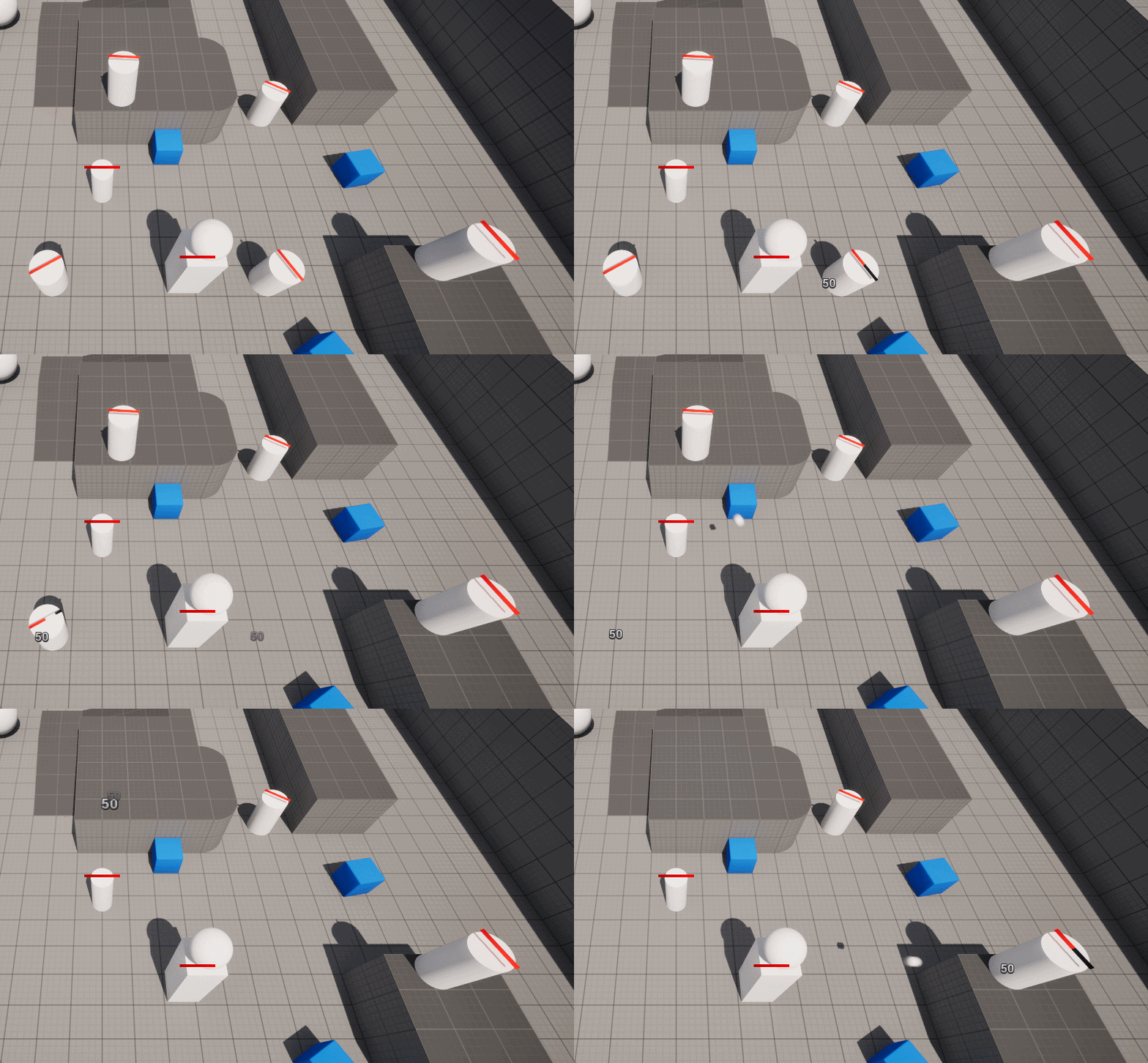
I created a versatile health system in blueprints that was reused for all the prototypes, saving on development time to work on other features.
To test the health system, I made a target dummy with the health system properly implemented with a health bar to visualize the current health.
To deal damage I made an attack actor component that can be applied to any actor and a turret that shoots projectiles.
VAMPOWER'S PROTOTYPE
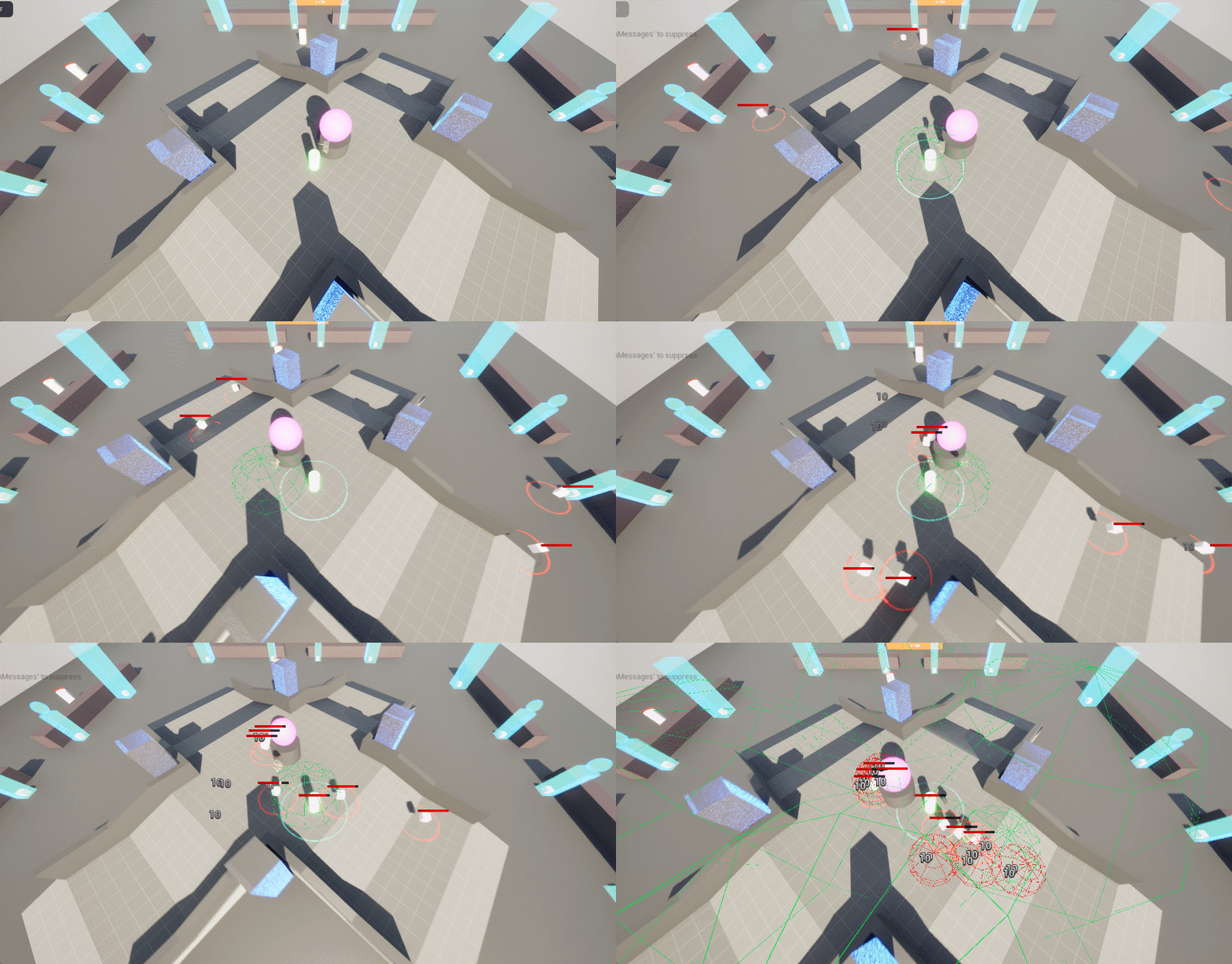
The prototype focused on testing the core mechanics of defending a central point from waves of enemies during daytime and building up defenses during nighttime.
PROTOTYPE FEATURES:
Simple enemies that target either the player or the central point (the heart).
An enemy spawner that spawns an increasing number of enemies per wave.
Structures, 2 different types.
Actor with the attack actor component.
Turret actor that shoots projectiles at closest enemy.
The player can interact with structures to activate them.
Day & night cycle.
PRODUCTION
4 weeks to create the finished game.
UNITS
For the prototype we'd utilized inheritance for the units, since all of them would need to have health logic. It worked great for the prototype so we used it for the actual game as well.
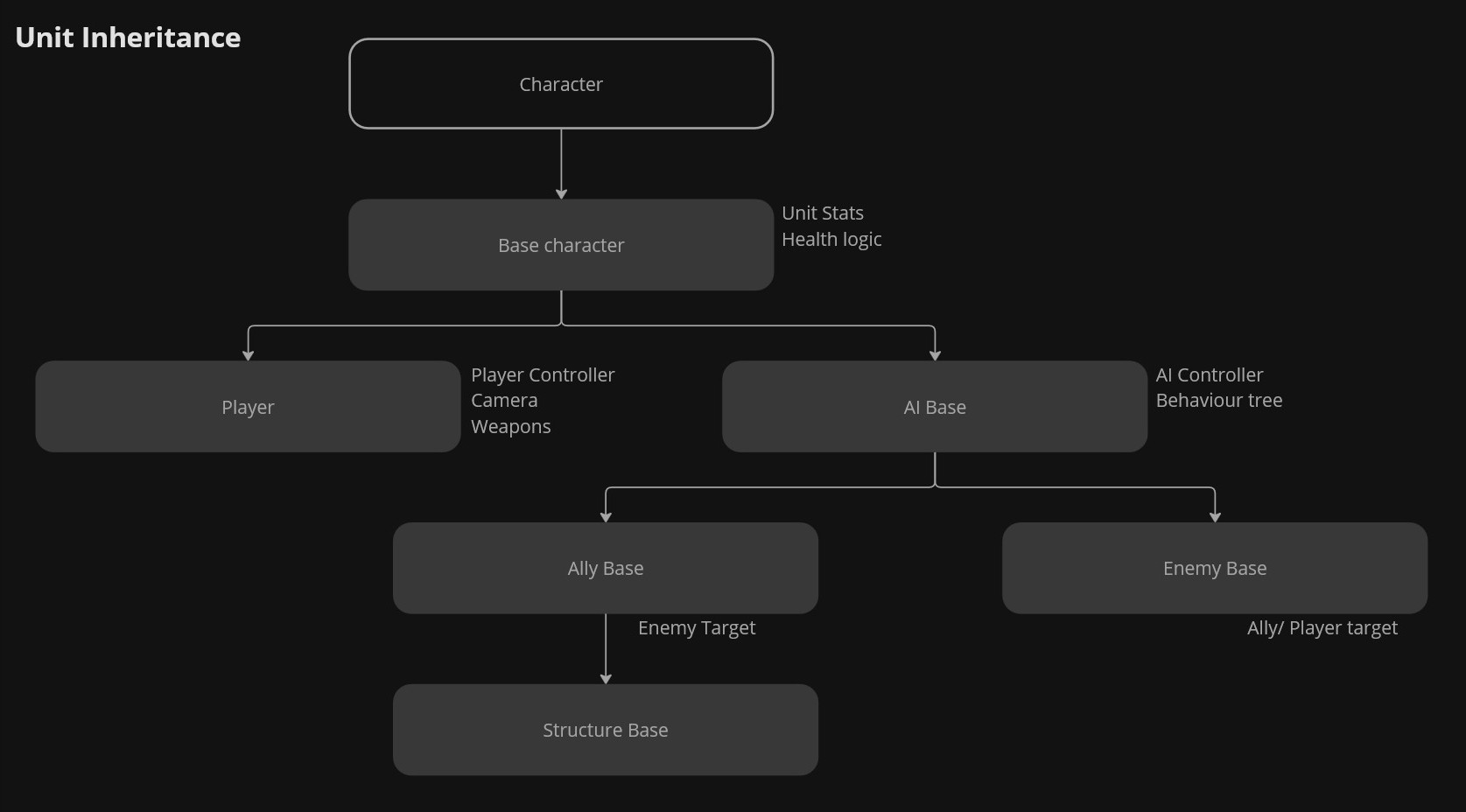
Classes in C++ which blueprint inherits from.
The Ally and Enemy Base distinction was needed for targeting.
Units get their stats from a data table on Begin play.
PLAYER
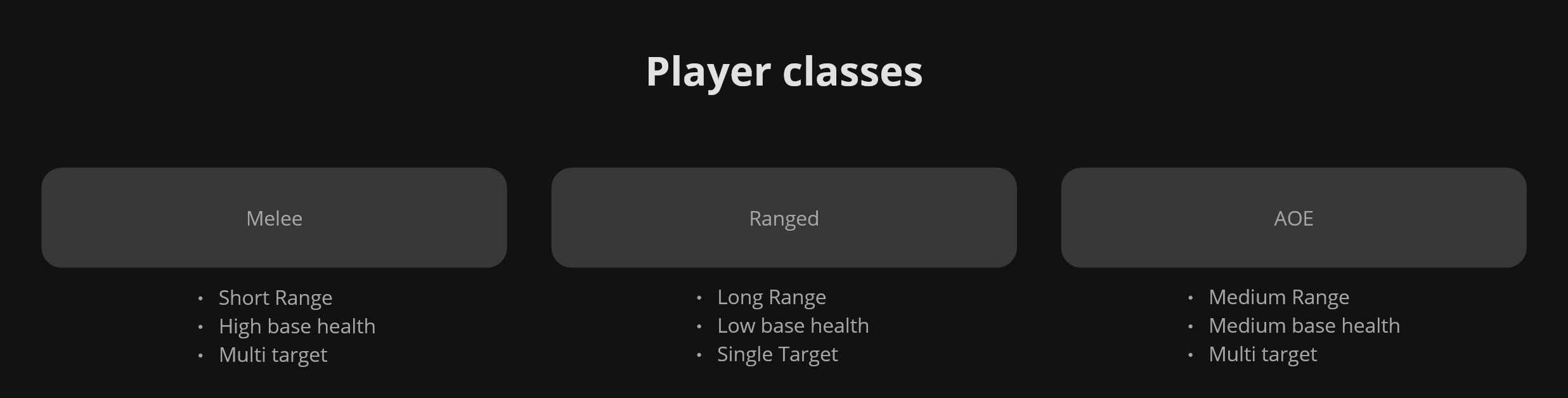
The player has three classes, each class with a set of base stats and starting weapon. The weapons have the same class types and are designed to synergize best with the same class but still work with the other classes.
ENEMY SPAWNING
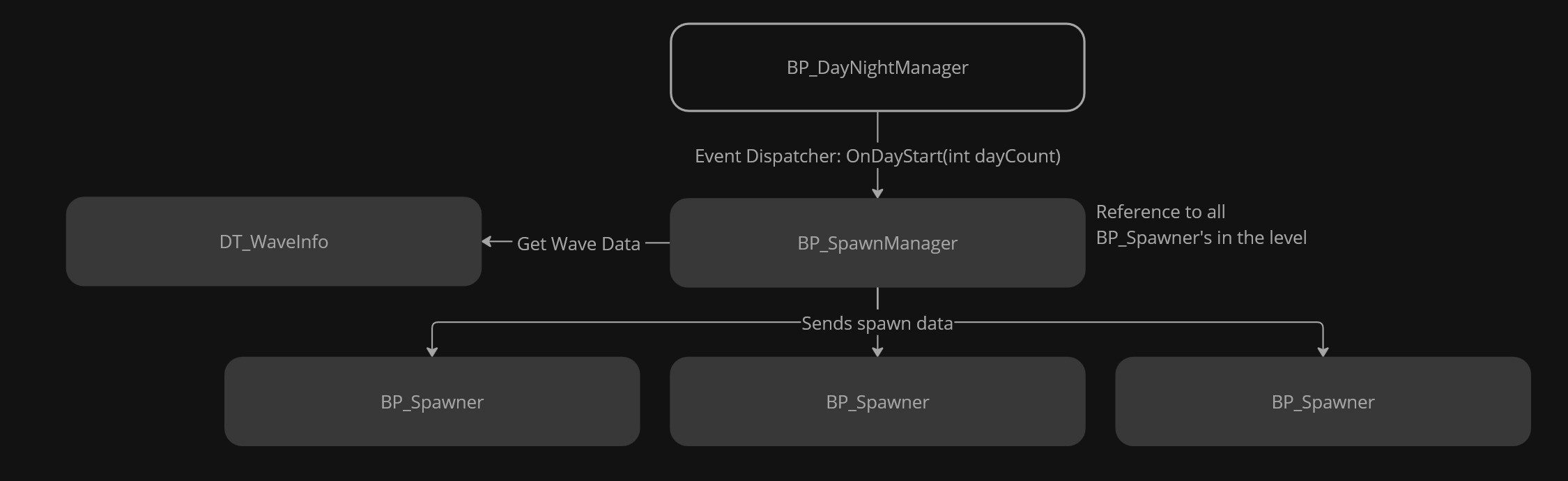
I made 2 blueprint classes, the BP_SpawnManager and BP_Spawner. The SpawnManager listens to events from the day/night system to know when to start spawning and the day count to get spawn data. The SpawnManager then gives the spawn data to the needed spawners and tell them to start spawning.
The enemy spawning does not utilize object pooling so the later days, 10 and up, do start impacting performance negatively. If the team were to publish the game properly, I'd work on implementing object pooling.
WAVE DATA
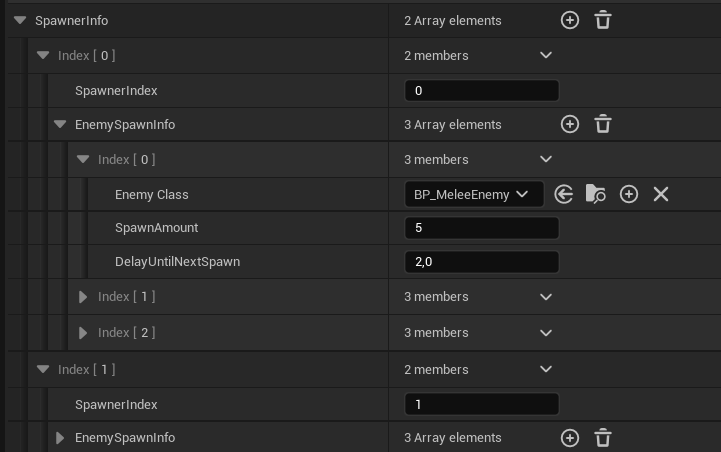
For us designers to have full control of each wave, I made a data table to specify; where to spawn, what to spawn, the amount to spawn, the delay until next spawn. Each data table row contains the spawn content for 1 day. The data table is built using 3 structs.
WaveInfo
An array of SpawnerInfo
SpawnerInfo
Spawner Index
An array of EnemySpawnInfo
EnemySpawnInfo
Enemy class
Spawn Amount
Delay Until Next Spawn
HUD-CLASS
For this project I tried a new approach for managing widgets. I decided to use the HUD-class to create and handle all the widgets.
I really like this approach, as it centralizes everything UI related in one place,
making it easier to manage and for others to work around.
For information other systems needed from the UI,
I created event dispatchers that the widgets trigger.
Example: when an upgrade is purchased from the shop widget, the player blueprint listens to the event dispatcher so it can apply the needed changes.
Another new approach I tried for this project was to keep gameplay logic out of the widgets.
The widgets should only display given data and forward button inputs.
When button input is received the widget fires an event dispatcher so the HUD-class can handle it.
BUILD STRUCTURE
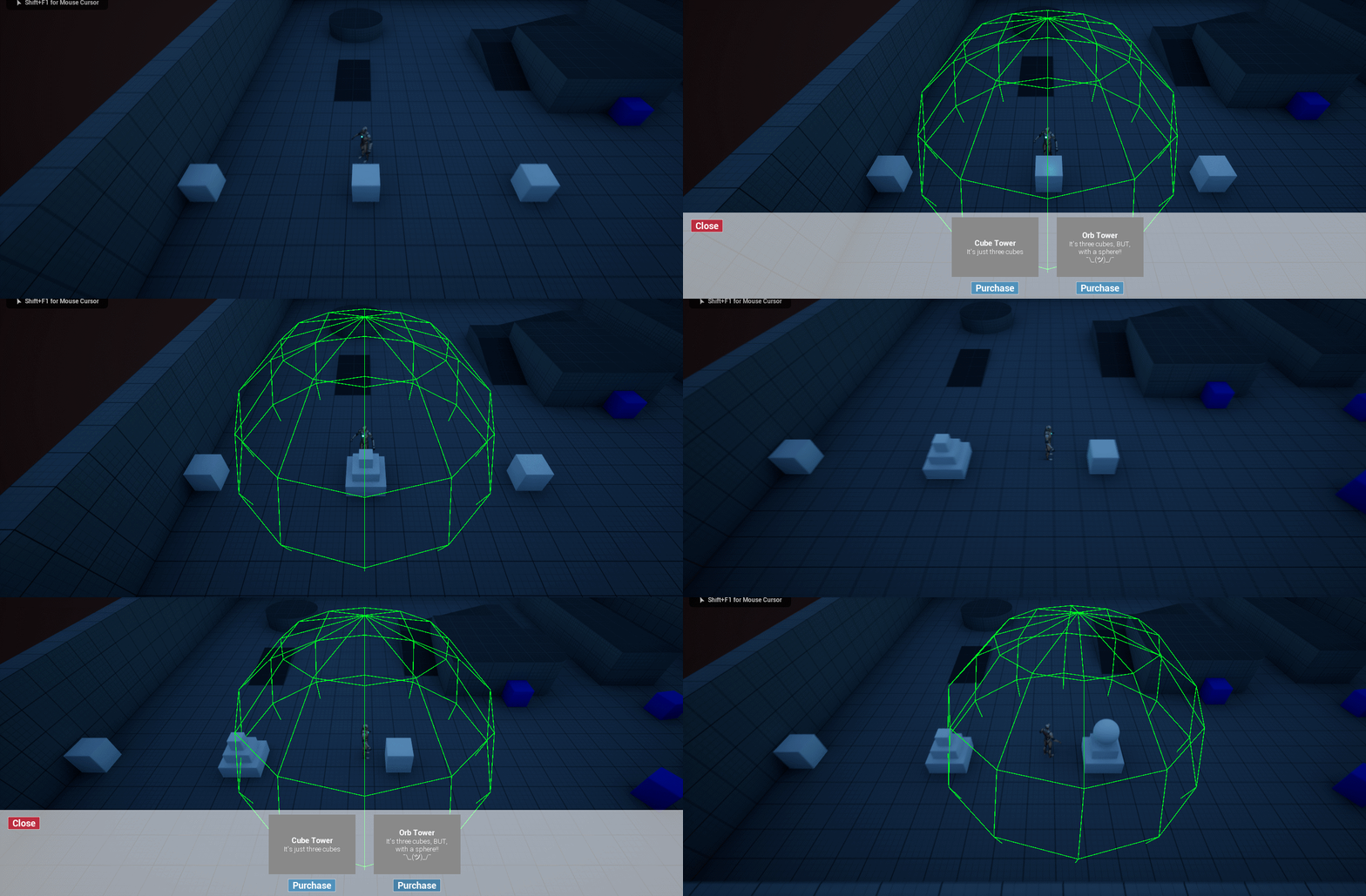
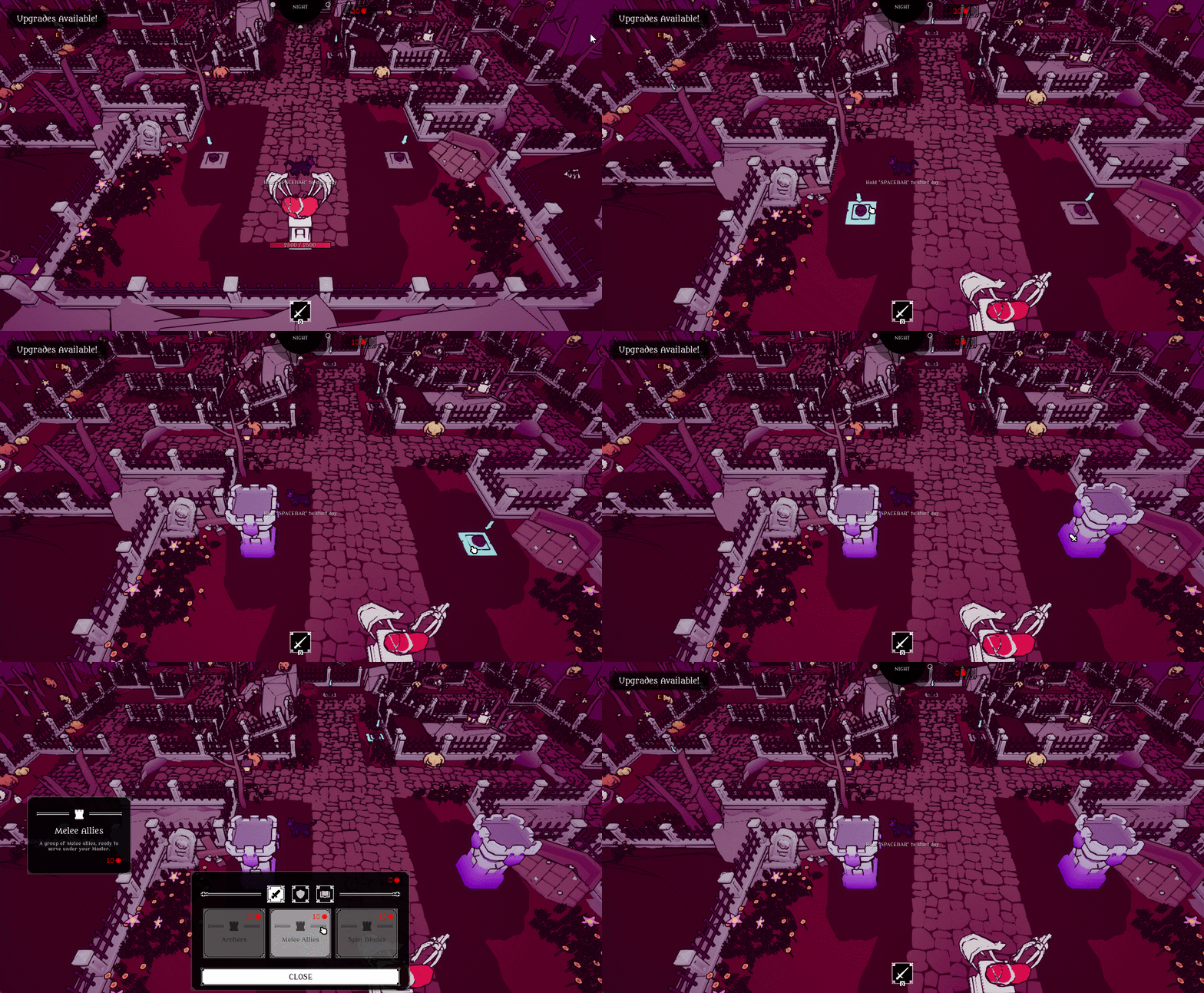
I began with planning out the build interaction from start to finish.
INTERACT STEPS:
Player walks up to resource node
Player presses Interact key
Build menu opens
Player selects the structure they wish to build
Build menu closes
Selected structure is built, replacing the resource node

FIRST ITERATION
MAIN PROBLEM:
Having to walk close to a resource node in order to interact with it felt both tedious and time consuming, and didn't add anything meaningful.
For the final version I changed the interact input to use mouse positon and input instead.
NOTABLE BUGS
1. DELAYED INTERACT AFTER PURCHASE
After building a structure there was a noticeable delay before you could interact with another node.
After debugging I still couldn't figure it out, so I ended up rewriting how the click interact works in hopes of fixing it, but the delay was still there. As it wasn't game breaking I had to leave it.
I ended up accidentally solving it when I was fixing a similar hover bug, but over UI weapon icons on the HUD.
Turns out it had to do with changing Input mode when exiting menus.
Previously I just set it to Input Mode Game Only whenever exiting a menu but using Input Mode UI And Game instead just… solved it. Good to know. :)
2. CLICK INCONSISTENCY
There was a lot of inconsistency with clicking on the resource node. This led to some frustration and confusion from play testers.
The reason for this inconsistency was other objects blocking the raycast from the cursor.
When rewriting the click interact, I added a object channel for Interact, which helped reduce the inconsistency.
IMPROVED PLAYER FEEDBACK
To improve the user experience, I added more feedback to the players actions. I swap the cursor icon and add a hover effect on the resource node by changing the material.
This makes the resource nodes feel more like buttons and helps inform that the player should click on it.
The resource nodes were sometimes missed so I very subtly added animated arrows pointing at the resource nodes.
The hover effects and arrows are only active during nighttime when they are interactable.
UPGRADE SHOP
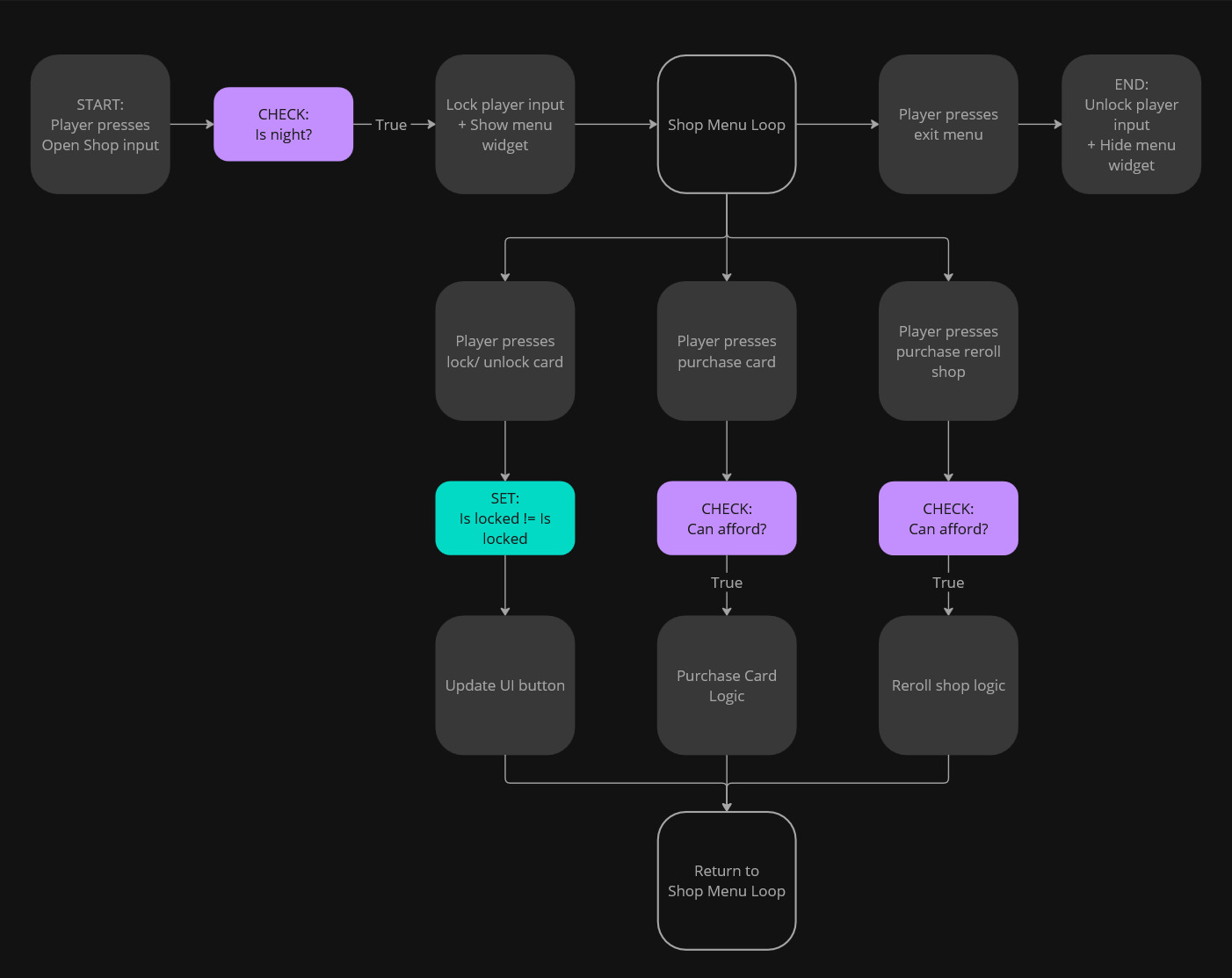
I began with planning out the upgrade shop interaction from start to finish.
FIRST ITERATION
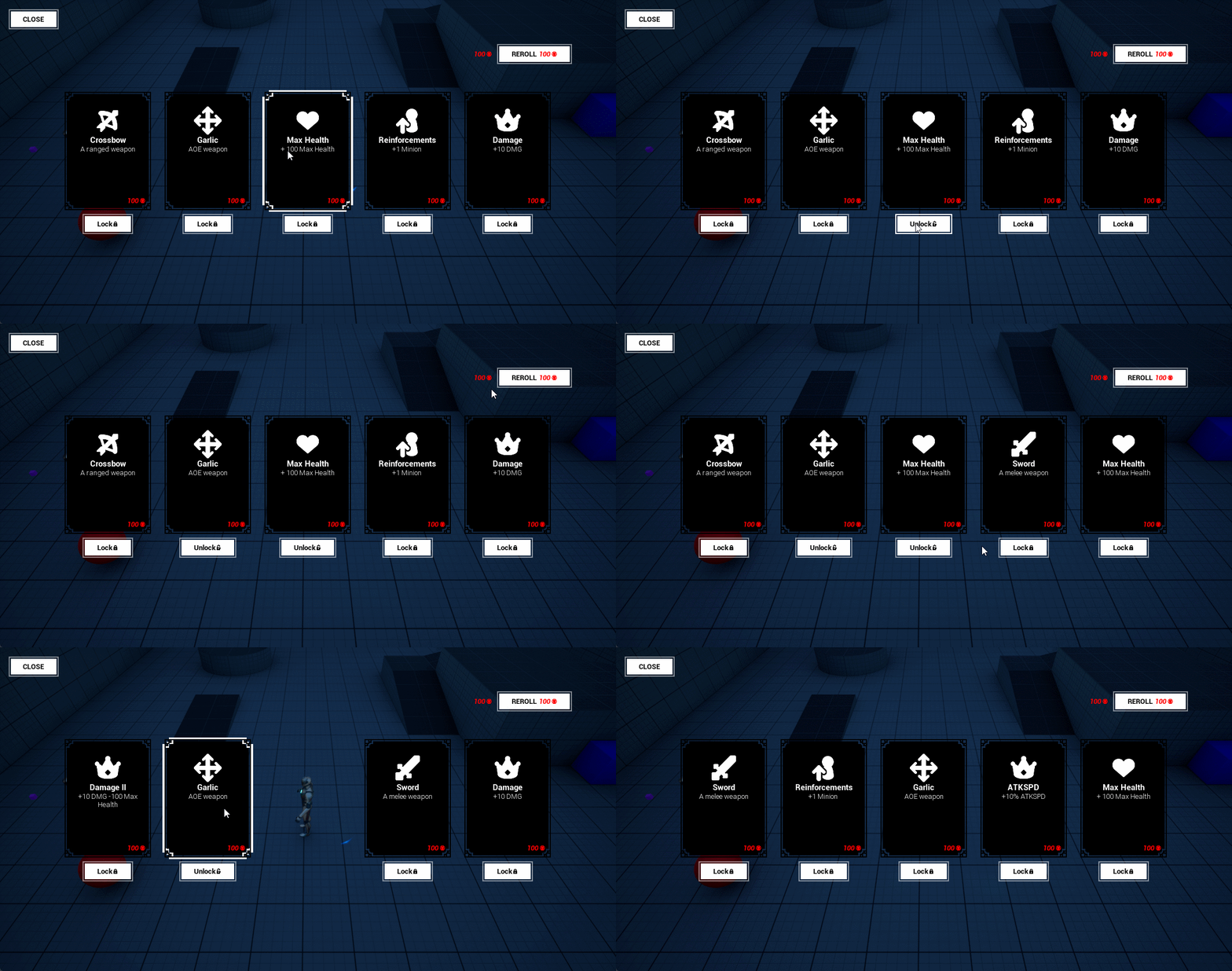
The core functionality working; reroll buttons updates the shop, locking/ unlocking cards work, and purchase hides them.
At this stage no real data is used for the cards and currency isn't taken into consideration. Focus is getting the UI interaction in place so it can be play tested.
SHOP DATA
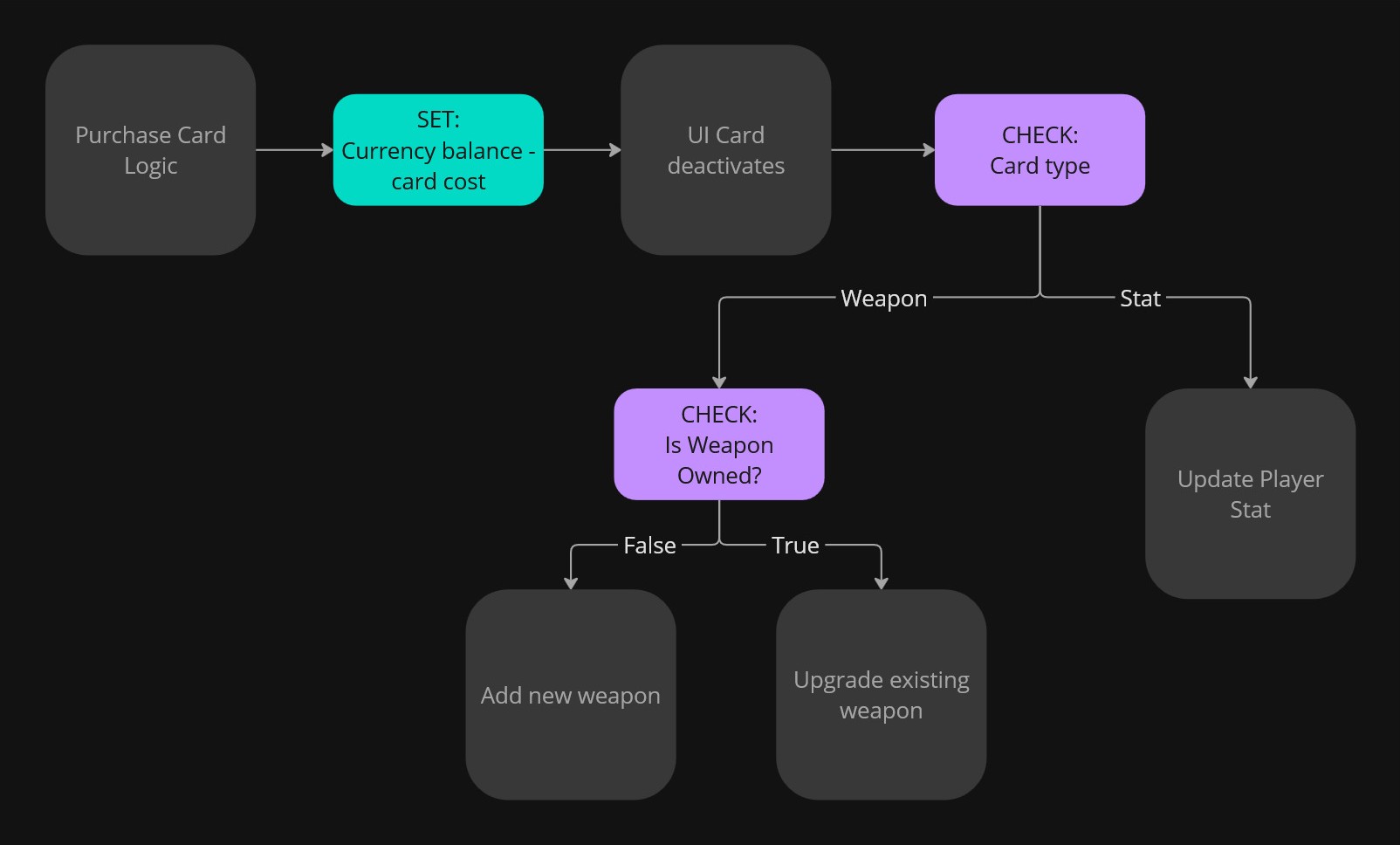
For the shop I have 2 data tables. One for the stat upgrade cards and one for the weapons. I made this distinction because the weapons need more data. During runtime the HUD-class makes upgrade card structs out of the weapon data table.
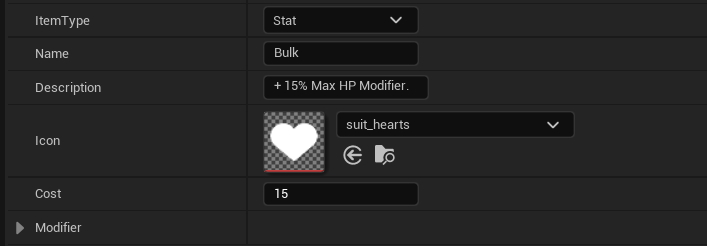
CARD STRUCT:
Struct is used for the UI and for applying upgrades to the player stats.
Description: Only used to convey information for the widget, needs to be manually updated to match the actual modified value.
Modifier: A C++ struct with multipliers for all the stats. Data is used to apply the stat upgrades.
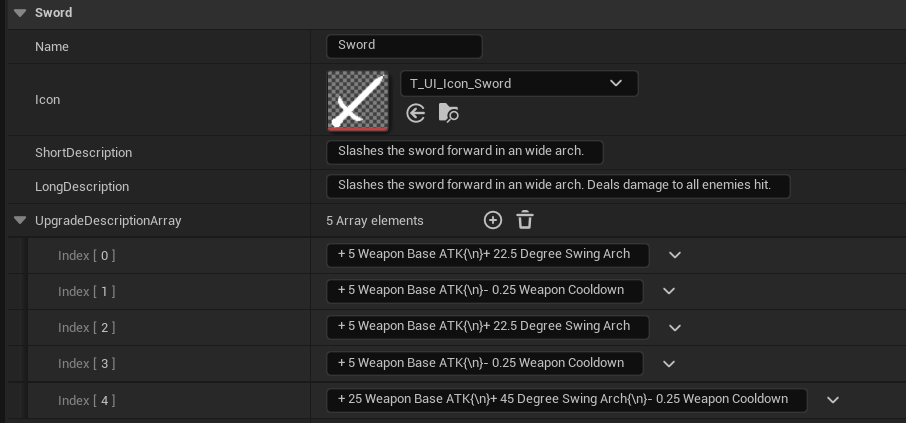
WEAPON STRUCT:
Short Description: Used by the card widget when the weapon is not owned.
Long Description: Used on the weapon tooltip.
Upgrade Description array: Description text for all the levels. Which one is used is determined by the weapons upgrade level.
SHOP REROLL
The shop gets rerolled automatically at the start of the night. The player can also decide to reroll the shop with currency.
Weapon cards have a lower chance of appearing.
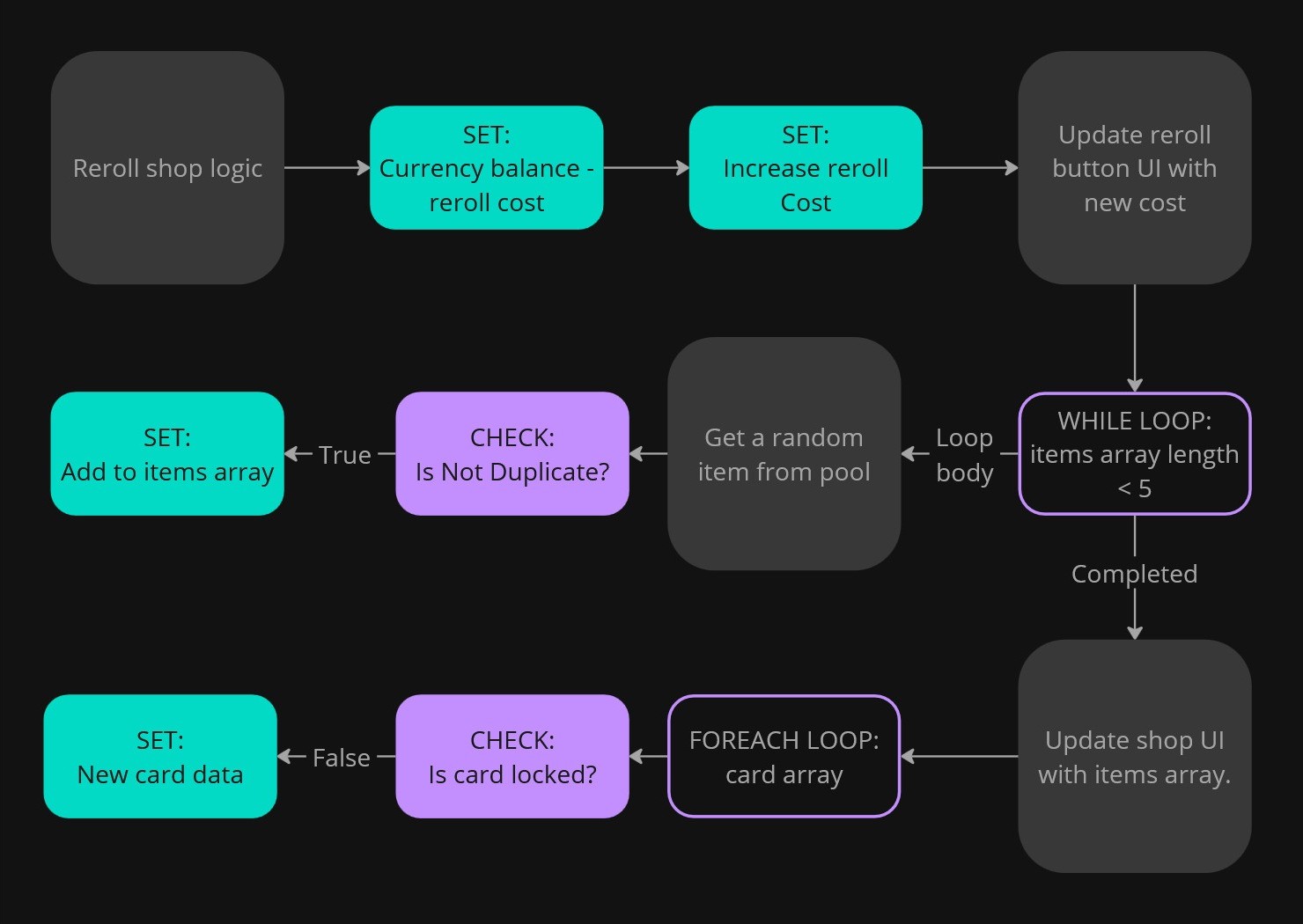
DUPLICATE CARDS:
The current cards are not considered when checking for duplicates.
UPGRADE SHOP:
When updating the cards, locked cards get skipped and therefore keep their old data. This does mean there is still a chance for duplicates.
ITEM POOL:
Contains all potential items that can appear in the store.
This includes:
All stat cards
-
A version of each weapon if it's
not owned by the player
not max upgrade level
GAME BALANCE
Scaling is a big part of any survival-like game. As the player gets stronger, resources get sparser and enemies tougher or increase in amount. Balancing numbers in a spreadsheet is not quite my expertise or interest but I did try keeping scaling in mind when designing the games systems.
Upgrade shop reroll cost increases with each use.
-
Weapon card cost scale based on:
Total owned weapon count.
Weapon upgrade level.
Enemies' health and damage scale with day count.
Enemy amount increases each day.
Unfortunately, the games current balance is broken. Especially the economy. Not surprising though, I did only get time to spend on it during the night before the final playtest trying to fix it.
PROBLEM:
The player gets too much money too early, so they end up purchasing everything.
CONSEQUENCES:
Strategi: The player no longer needs to manage their resources. There is no choosing between two great options but only being able to afford one.
Overpowered: The player becomes too strong, they no longer feel threatened by the enemies. In the long run, less stakes makes the combat less engaging and less fun.
SOLUTION:
Currency: Decrease the amount of currency the player gets.
Enemy: Increase enemy health and/ or damage stats.
Cost: Increase cost of upgrades and structures.
WEAPON SCALING
Since the weapons are so impactful- buying one should require a fair bit of investment. My goal was to limit the player to EITHER invest horizontally with a lot of weapons OR vertically with few well upgraded weapons. The player should NOT be able to buy most weapons AND heavily upgrade them.